Labels
A label is a static text field that describes an onscreen interface element or provides a short message. Although people can’t edit labels, they can sometimes copy label contents.
Keep labels legible. Labels can include plain or styled text. If you adjust the style of a label or use custom fonts, be sure not to sacrifice legibility. For related guidance, see Typography.
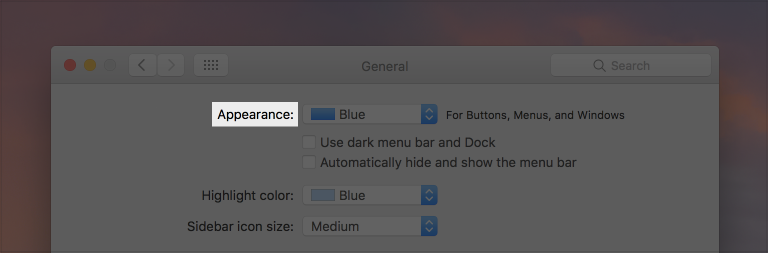
Use a colon when introducing a control. A colon implies a direct connection between the label text and a particular control or set of controls. A colon becomes unnecessary when the label and control work together to form a single sentence.

Label and control combination
Use system-provided label colors to communicate relative importance. macOS defines four label colors that vary in appearance to imply different levels of importance.
| Color | Description |
|---|---|
| Label Color | The system color used for the text of a label. For developer guidance, see labelColor. |
| Secondary Label Color | The system color used for the text of a label of lesser importance than a normal label such as a label used to represent a subheading or additional information. For developer guidance, see secondaryLabelColor. |
| Tertiary Label Color | The system color used for the text of a label of lesser importance than a secondary label such as a label used to represent disabled text. For developer guidance, see tertiaryLabelColor. |
| Quaternary Label Color | The system color used for the text of a label of lesser importance than a tertiary label such as watermark text. For developer guidance, see quaternaryLabelColor. |
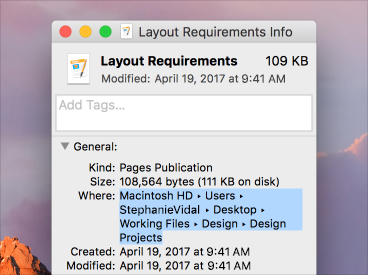
Make useful label text selectable. A user should be able to copy useful information such as an error message, a serial number, or an IP address for pasting into an email, document, or other location.
For related design guidance, see Text Fields and Color. For developer guidance, see NSTextField.